Can I cancel an order after the payment link was sent?
Last updated: April 28, 2026
If the payment link has already been accepted and completed by the buyer, there is no direct way to cancel it.
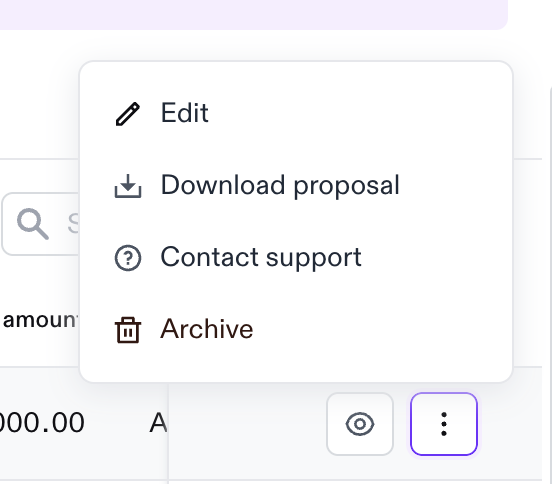
If the buyer has not yet completed the payment link, you can cancel it by archiving it in the Vendor Hub. To archive a payment link, follow these steps:
Go to All Orders.
In the Created tab, look for the order you want to cancel.
Click the three-dot icon on the far right side of the order.
Select Archive.
If the payment link has already been completed, please reach out to the Support team, and we will be happy to assist.