Buyer Qualification: How does the KYB process work at Capchase?
Last updated: June 17, 2026
What is the KYB process?
In today's digital age, it has become increasingly important to take measures to prevent fraud and money laundering. One such measure is the Know Your Business (KYB) process.
The KYB is a set of procedures that we follow at Capchase to verify the identity and legitimacy of the companies we work with. This includes our clients' customers (buyers) who use Capchase. While the process may seem daunting, it is necessary to ensure compliance with regulatory requirements and maintain a safe business environment for us, you, and your customers.
Submitting a buyer qualification
You must first submit your customers through Buyer Qualification before creating a payment link. Approval rates can vary based on your program, and the results will appear in the app in 1-2 minutes.
If your customer is not immediately approved, you may see one of these statuses:
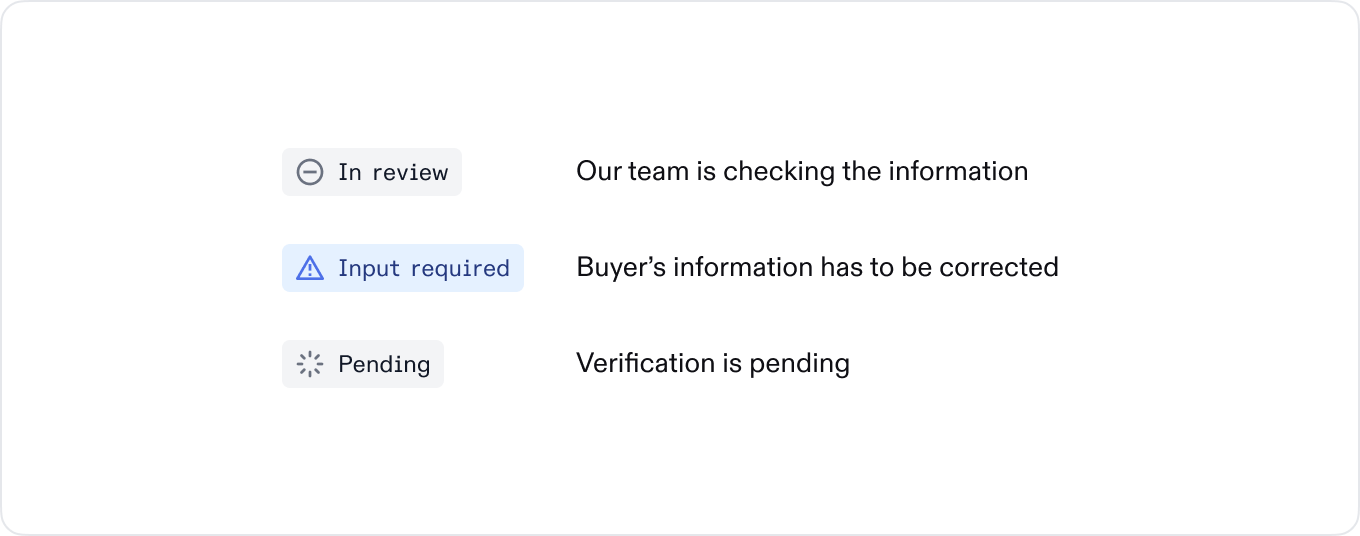
Typically, if a company does not pass buyer qualification, it is because the information submitted was not the correct legal name and/or incorporated address.
Here are tips for how to get the correct legal and incorporated information:
Usually, the legal name is shown in the footer at the bottom of their website and may include “Inc.” or “LLC,” for example.
Once you have their legal name, you can visit Open Corporates to find their registered address. Enter their legal name in the search bar, select “exclude inactive,” and find the address that matches your customer’s legal name and country.
Sometimes the “registered address” (the address where businesses are incorporated) matches the headquarters address, and other times it doesn’t.
If the registered address on Open Corporates is in Delaware and the full street address is not provided, you can use the Delaware Business Registry to find it.
Enter the legal name, and it will give you the “registered agent info,” which should be the incorporated address.
Buyer eligibility
This is a set of procedures that we follow to verify the identity and legitimacy of the companies we work with.
What do we check for?
Company is based in an eligible geography
Have been in business for more than 12 months if your program has a recourse risk model, or more than 24 months if your program is non-recourse
Have 2 or more employees
Are incorporated and/or operating in the authorized countries list
Not in a restricted industry which includes: marijuana-related, tobacco, alcohol, firearms, military equipment, munitions-related companies, adult entertainment, and gambling; or a federal government organization
To approve a deal (or outstanding book value (OBV)) above $250,000, the buyer must undergo a financial review, which includes sharing audited (or CPA-approved) financial statements for the last two fiscal years. We can also accept tax filings for the last two fiscal years.
The maximum total contract value (TCV) must be less than 5% of the buyer’s ARR.
What does the financial review check for?
Positive YoY Revenue Growth
Runway > 12 months
Quick Ratio (Current Assets / Current Liabilities) >= 1.5x
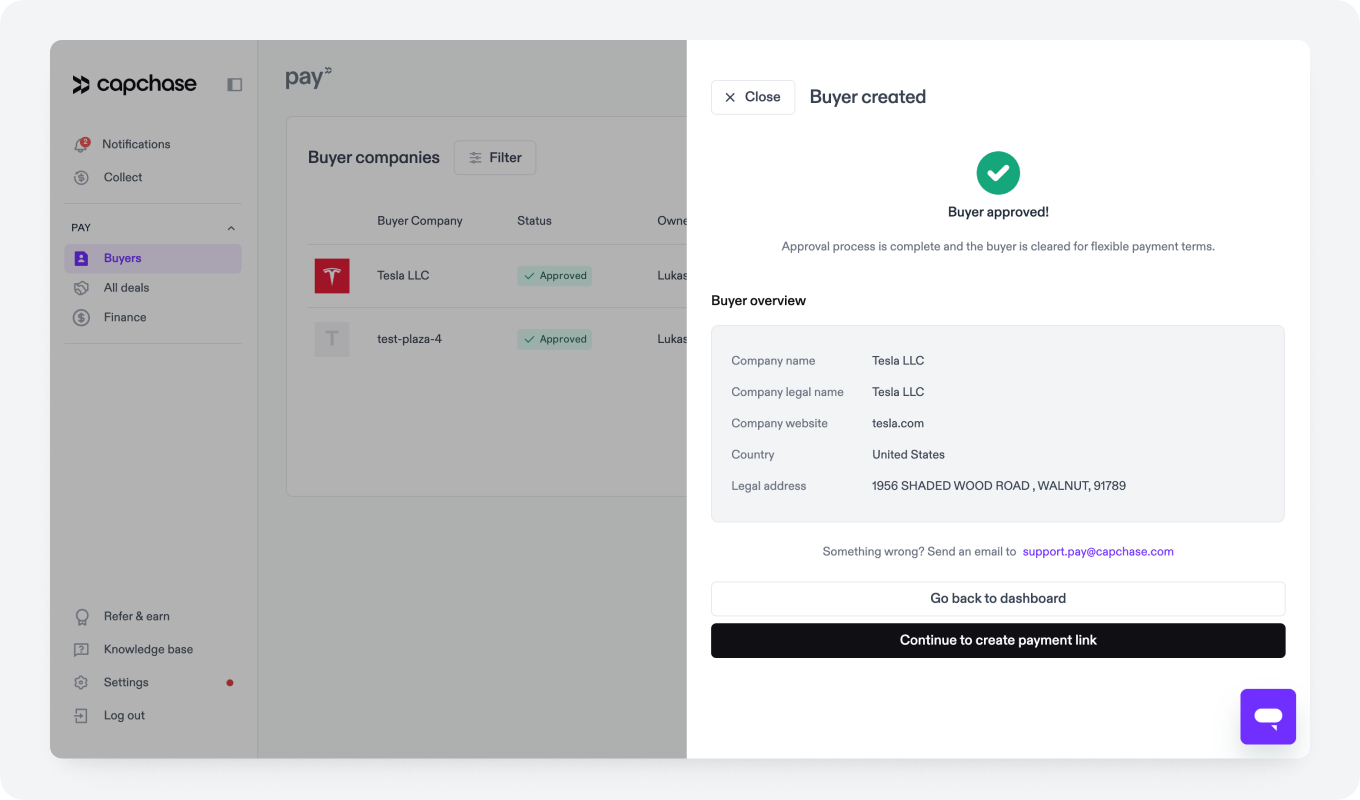
If you encounter any challenges or require clarification regarding a specific buyer's assessment, please message us at support@capchase.com.
Approval Parameters
Buyers are approved with defined limitations on deal size range, term length, and expiration dates. You’ll see the parameters listed for each buyer on their summary page in the Capchase app, when you create a payment link for that buyer, and in the notification email that shares the qualification results.
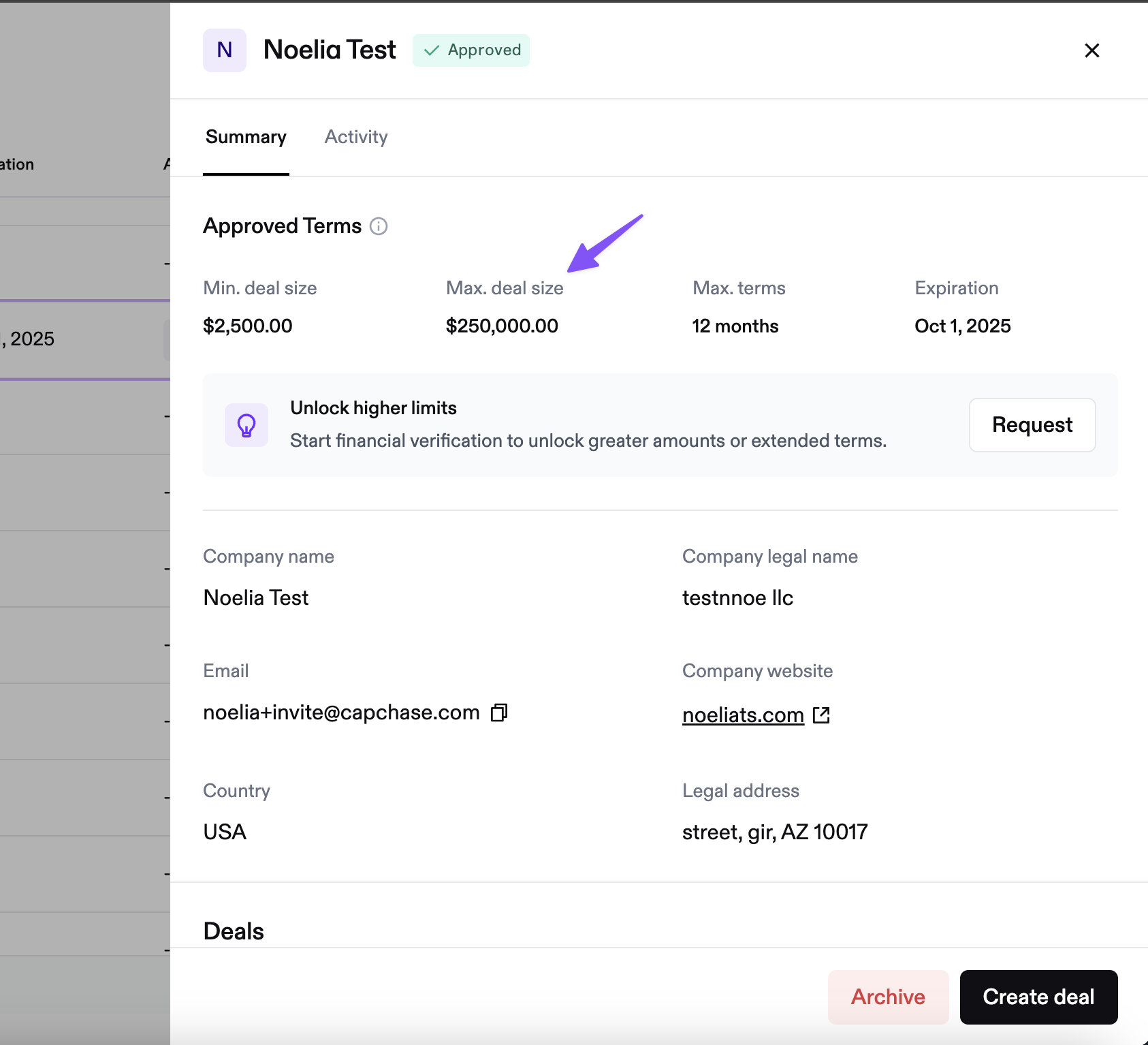
Buyer summary page with approval parameters, including deal size range
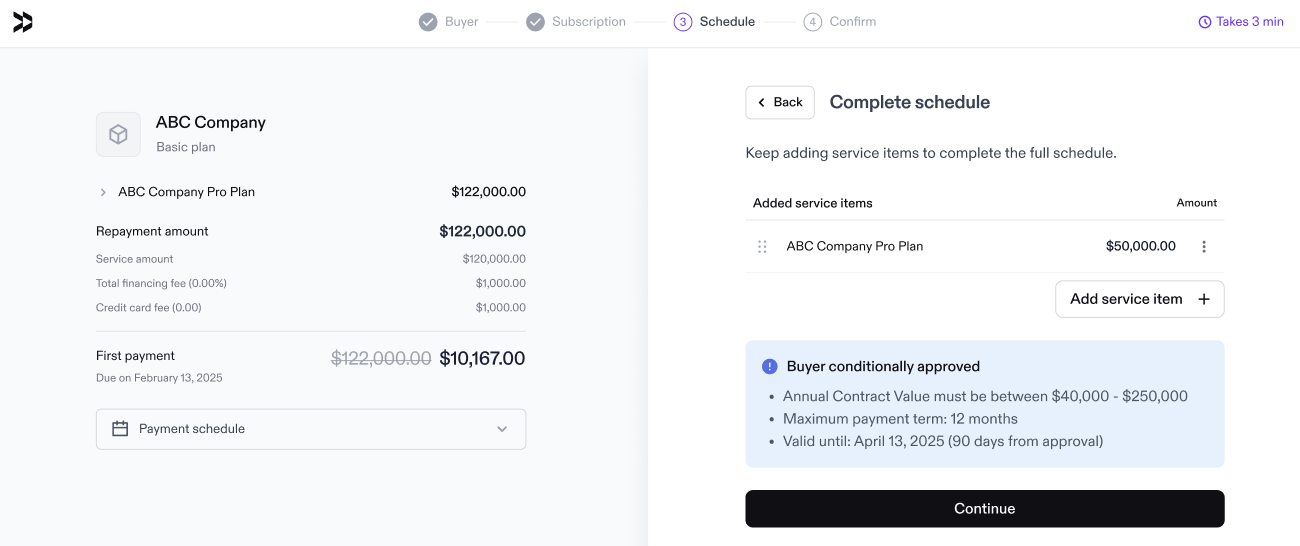
Buyer parameters are shown when you create a payment link:
Approved Limit (TCV)
The maximum financing amount available for this buyer. Your deal value must not exceed this limit.
Approval Expiration Dates
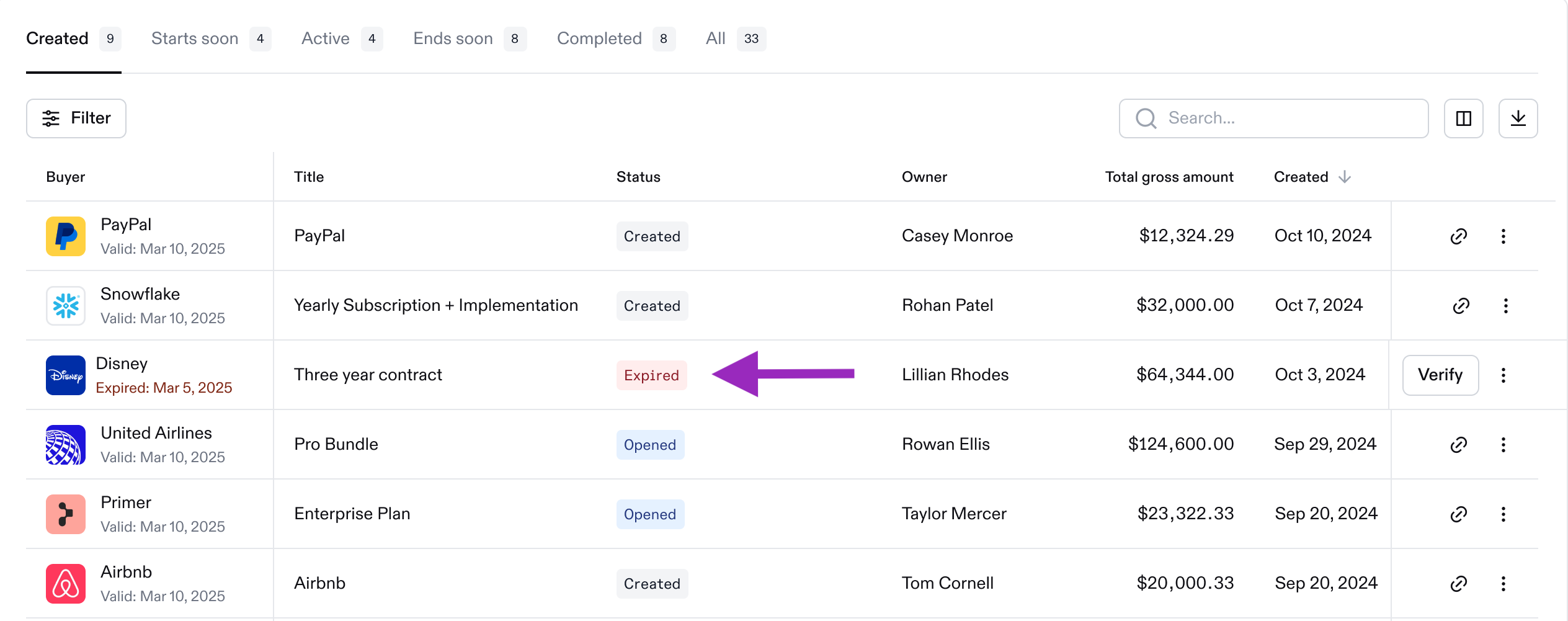
Buyer approvals are valid for 90 days. After that, the buyer must be reassessed before a new payment link can be created. This applies to all approvals submitted from June 5, 2025, forward. Expiration details are visible in both the Capchase App and our CRM integrations.
Statuses
You can see the Buyer’s approval status directly on the Buyer's page.
Status | Meaning | What to do |
|---|---|---|
Qualifying | Buyer qualification is being processed | Wait for the final result |
Approved | The buyer has passed the qualification. | Create and send a payment link. |
Manual Review | The buyer requires manual review by the Capchase team. This typically takes a few minutes (within business hours) | No action needed unless contacted. |
Data Required | Buyer must submit financial documents to be approved | Share the secure link with the buyer, so they can upload their financial documents |
Input Required | We couldn’t match the legal name or address provided | Verify the provided details and update them in the company's legal registry |
Expired | The qualification is more than 90 days old. | Re-run the qualification to refresh it before sending a new payment link. |
Rejected | The buyer did not meet the current eligibility criteria. | Update company information and re-run the qualification. |
Please note that if the payment link has already been signed by the buyer before the qualification expires, the deal will not be affected. The signed agreement takes precedence.
The main reason a buyer's eligibility assessment takes longer or is rejected is an incorrect legal name or address. These must be the incorporated name and address (which is not always the physical location or headquarters address). See Buyer Qualification Tips for more help on this.
Rejection Reasons
Some reasons why your previously approved buyer might be rejected may be:
They became inactive or went non-compliant with their relevant Secretary of State (SoS) or local government. If this is the case, we can’t approve until we see a certificate of good standing or a relevant government database confirming it.
They appeared on a sanctions list or were involved in litigation that poses credit risk.
They experienced material degradation in their financial health.
They've reached their financing limit, which is the maximum percentage of their ARR we can have outstanding from them at any given time.
Next Steps
After your buyer is successfully approved, you can proceed to the next step in using Capchase: creating the Payment Link.
If you have any questions, send us a message at support@capchase.com.