Payment Processing and Funding Timeline
Last updated: April 29, 2026
As a Capchase vendor, understanding when you'll receive funds after your customer completes the payment link is crucial for cash flow management. This article explains the payment processing timeline and when to expect credits to be released to your account.
Overview
The orders' credits will be issued once all of the necessary information is correct and present. Before that, the Vendor (or Partner, depending on the case) must take some steps to process the funding.
Invoice Submission
Once your buyer completes the payment link, you should receive an email with the order's purchase order and a message requesting that you submit the invoice.
Respond to this email with the order's invoice, and Capchase will start processing the funding.
Ensure that taxes and/or fees are included when creating the order. The funding will only be processed once the information matches.
Payment Processing Timeline
For risk-approved vendors and orders with net terms, the credit will be processed once all requested documents are signed and submitted, and the necessary payment details are registered.
Attention: If any requested documents or information are missing, the credit will be held until they are provided.
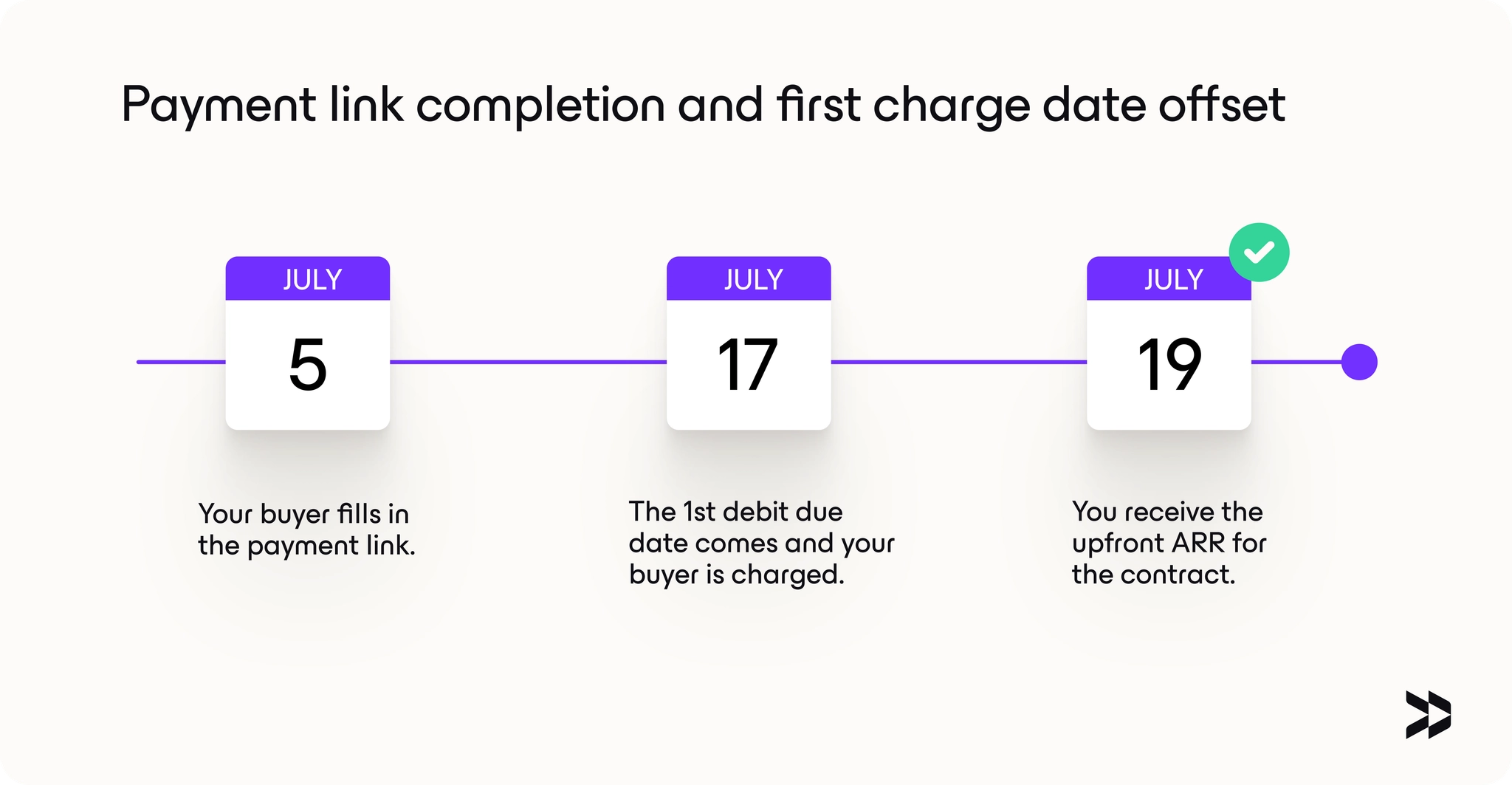
Some vendors will be required to receive the buyer's first repayment before receiving the funds. For those cases, the expected timeline is:
Customer Payment Initiation: Once all documents are present and the payment details are added, Capchase initiates a debit from your customer's account/card on the scheduled payment date
Settlement Period: Direct debits can take up to 4-5 business days to clear and settle, depending on the currency. Credit card payments are usually cleared on the same day.
Credit Release: Once funds are fully settled, Capchase releases the credit to your account, which usually takes up to 2 business days.
Note: Please ensure the partner/vendor banking details are included with the funding invoice, as missing information may delay the transfer of funds.
Tracking your credits
On the App's homepage, you can see a summary of the upcoming and recently sent credits:
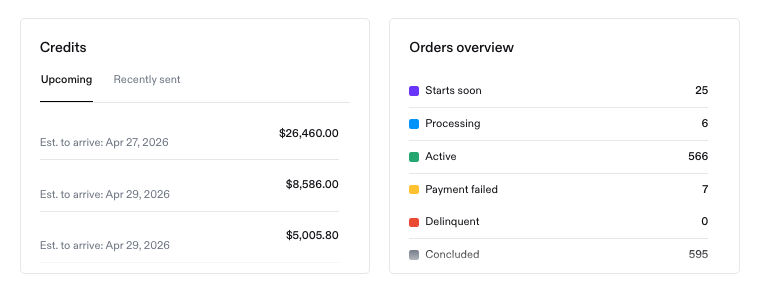
Finally, by going to the 'Signed Orders' menu, you'll have a more detailed view of each order. The 'Starts in X days' indicates when the first debit is expected to be collected, and the 'Processing credit' status indicates that the funding has started to be processed by Capchase and should get to your account soon.
Common Delays and Resolutions
Several factors can cause delays in credit release:
Failed Initial Payments: If a customer's payment fails due to incorrect banking details, the process restarts once corrected
Missing Documentation: Unsigned agreements or missing documents can prevent credit release
Settlement Delays: Direct debit processing times can vary, especially around holidays. Non-USD currencies will usually take longer to complete
Wire Payments: Customers paying by wire may experience longer processing times
When to Contact Support
Reach out to support if:
It's been more than one week since your customer's payment was confirmed
You notice discrepancies in payment amounts
A deal shows as funded, but you haven't received the credit
You need expedited processing for time-sensitive situations
For any questions about payment processing timelines or the specific status of a deal, please contact support@capchase.com with the details, and we'll provide updates on your credit release timeline.